
Level Goal
A program is running automatically at regular intervals from cron, the time-based job scheduler. Look in /etc/cron.d/ for the configuration and see what command is being executed.
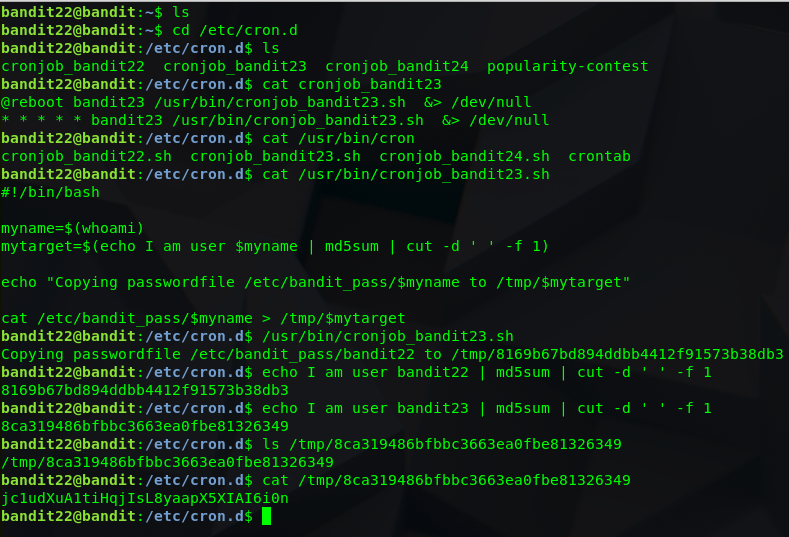
Again, the home directory has nothing so we will venture to /etc/cron.d
Last time, we looked at cronjob_bandit22, so this time we will look at bandit23.
Catting the file shows us the location of the script again – /usr/bin/cronjob_bandit23.
catting this file shows us the script being run.
The current username is being saved to a variable $myname and a path is being generated by taking the string “I am user [my name variable]” and taking the md5 hash of the string.
We can run the script to see how it acts with our current user (bandit22) and then emulate the script pretending we are bandit23.
 Killian Sherer