
Now that we have a server and client, it’s time to make some accounts.
Before doing this, however, I would like to build out an OU structure so not everything is living in the default containers.
On the server, open up ADUC and make a new OU.
Let’s call this OU C-137
Inside C-137, we will build out the OU structure
I made 3 OU’s here.
- One for administrative users
- One for standard users
- One for computers

I will create 2 accounts for Rick, one admin account and one standard.
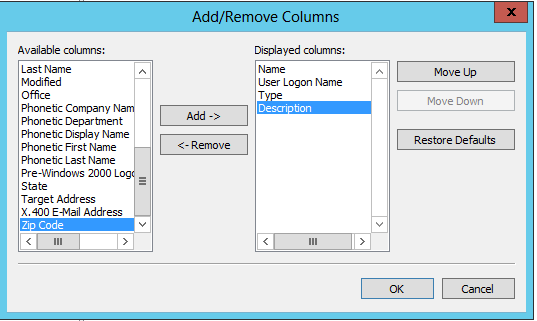
I am also going to adjust the columns displayed to show the usernames of accounts
View > Add/Remove Columns > User Logon Name > Add
In the Users OU > new > user > RSanchez

In the Administrator OU > new > user > Admin_RSanchez

Now I will move Ricks computer to the Computers OU under C-137

Perfect! Now let’s try logging in with Allza\RSanchez on the client and make sure things are working.
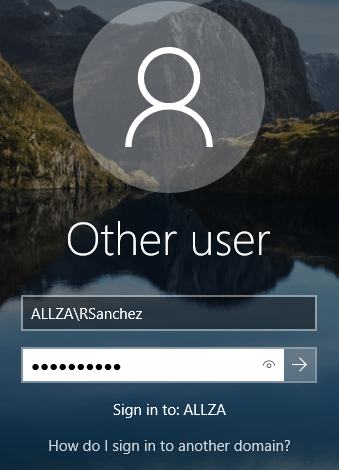
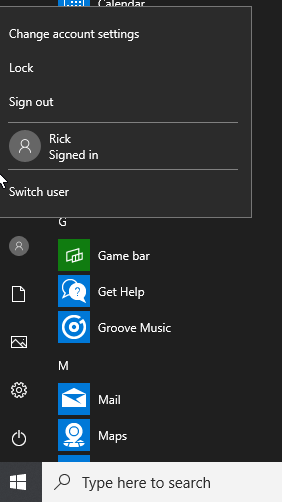
Perfect! We now have a working AD Environment!
Before I go any farther, I am going to take a snapshot of the Server in case I break it later.
 Killian Sherer